LLM Plan user guide
How to build and maintain a plan in LLM Plan
LLM Plan turns notes, requirements, and constraints into a structured plan. The result separates goals, work, measures, risks, dependencies, resources, and next actions so each part can be reviewed on its own.
The planning model is iterative: describe the situation, choose a direction, act, learn, and update the plan when circumstances change.
Create your first plan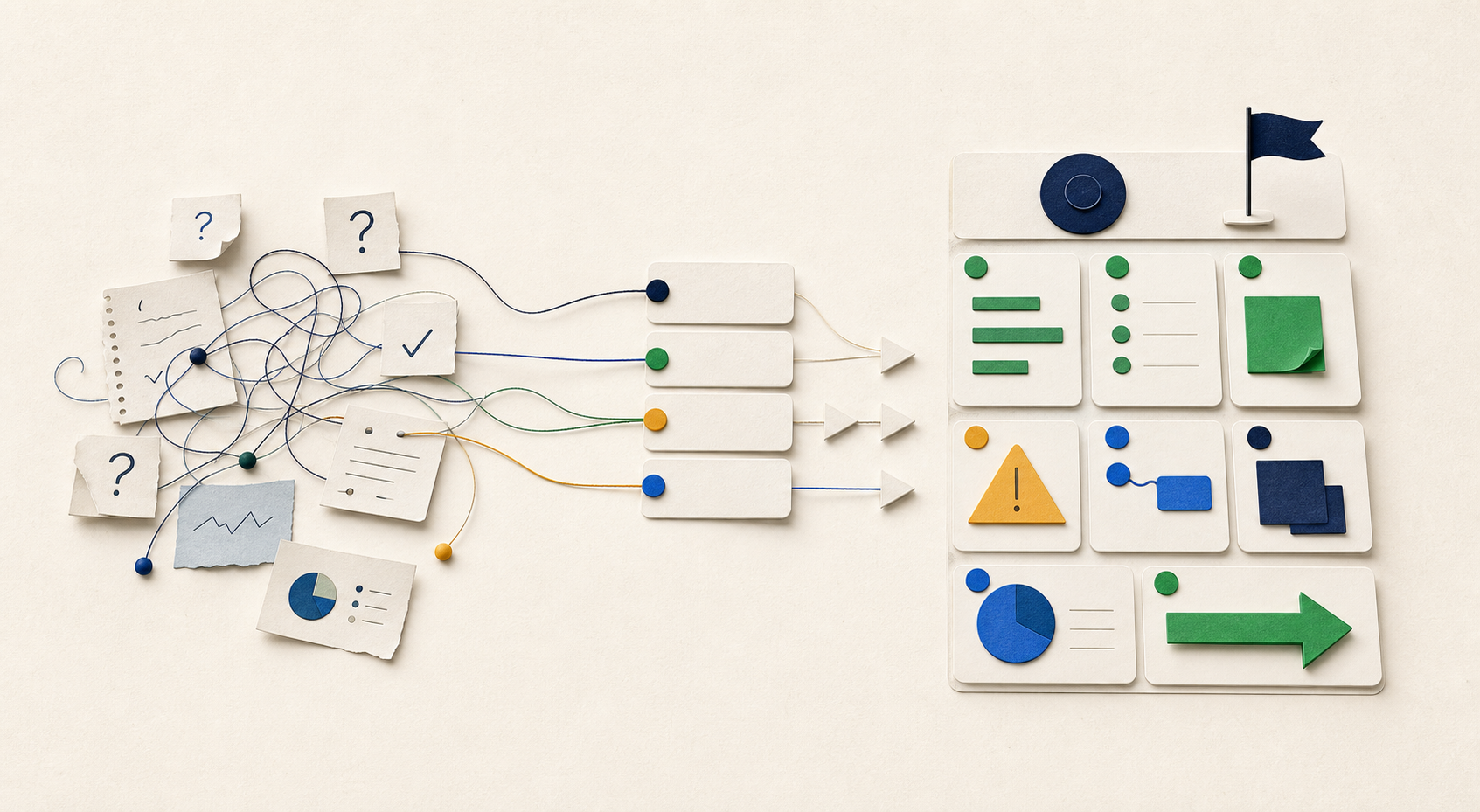
Guide contents
01
Create your first plan
Start with the information you already have. It does not need to be polished, but it should be concrete.
-
Prepare the source material
Describe the desired outcome, the current situation, known constraints, supporting evidence, and unresolved questions.
-
Generate the draft
LLM Plan organizes the source into connected planning sections rather than one continuous block of text.
-
Review the result
Correct inaccurate details, identify decisions, add ownership where needed, and confirm that the sections agree with one another.
Useful source material
- OutcomeWhat should be different when the plan succeeds?
- Current stateWhat is happening now, and why does it matter?
- ConstraintsWhat limits time, cost, access, quality, or scope?
- EvidenceWhat facts and prior decisions should shape the plan?
- UnknownsWhat still needs an answer or a decision?
02
Understand the plan
Each section answers a different planning question. Together they connect direction, execution, and confidence.
Direction
Where are we going, and why?
- Purpose
- Why the plan exists.
- Summary
- The plan at a glance.
- Planning Context
- The situation, boundaries, and assumptions.
- Goals
- The outcomes the plan is intended to achieve.
Execution
What work will move the plan forward?
- Activities
- Coordinated areas of work.
- Tasks
- Specific pieces of work.
- Resources
- People, tools, money, or access required.
- Next Actions
- The immediate steps that create momentum.
Confidence
What could confirm or change the plan?
- Measures
- Evidence that progress is real.
- Risks
- Events that may harm the outcome.
- Dependencies
- Conditions or work the plan relies on.
- Notes
- Relevant context that does not fit elsewhere.
03
Worked example
The following example shows how a short operational brief becomes a connected plan.
Improve machine uptime
Manufacturing
Source material
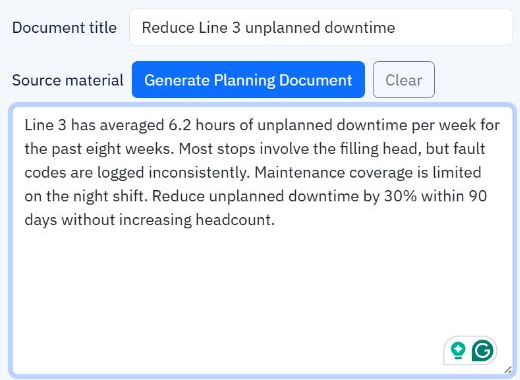
Line 3 has averaged 6.2 hours of unplanned downtime per week for the past eight weeks. Most stops involve the filling head, but fault codes are logged inconsistently. Maintenance coverage is limited on the night shift. Reduce unplanned downtime by 30% within 90 days without increasing headcount.
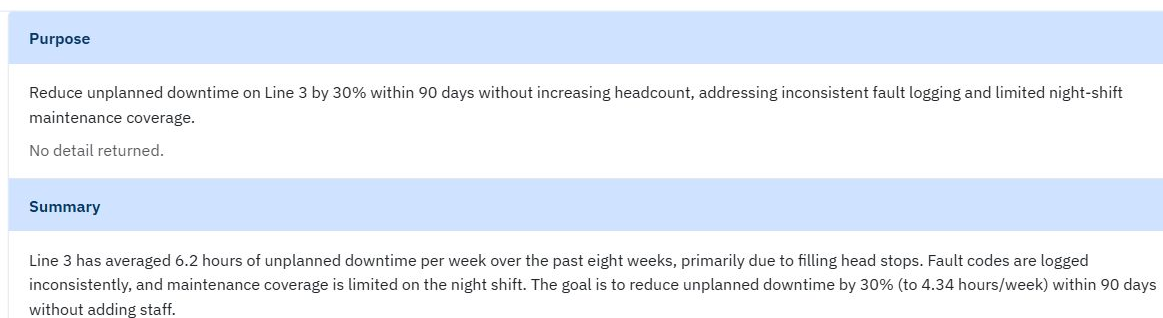
Plan excerpt
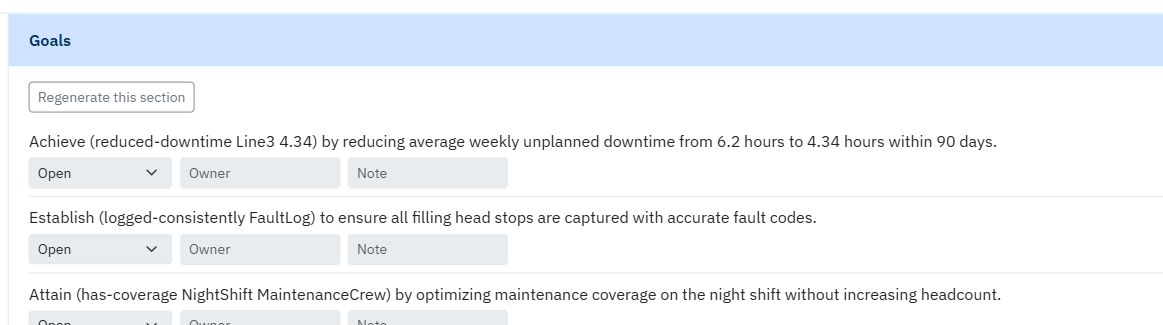
- Goal
- Cut weekly unplanned downtime from 6.2 to 4.3 hours or less.
- Activity
- Standardize failure capture across day and night shifts.
- Risk
- Operators may bypass logging during short stops.
- Dependency
- Maintenance and production must agree on one fault taxonomy.
- Decision
- Choose a night-shift owner for weekly review.
Recover a delayed MedTech launch
A regional medical-device launch is six weeks behind because training, distributor onboarding, and market review are following separate timelines. The launch can move by no more than two weeks, and safety and regulatory review cannot be compressed.
- Goal
- Deliver a compliant launch within the two-week tolerance.
- Dependency
- Final materials depend on the approved market review.
- Decision
- Choose between a phased launch and a full-market delay.
04
Review and update the plan
Statuses identify what is settled and what still requires attention.
| Status | Use it when |
|---|---|
| Open | The item is valid, but work or review is still in progress. |
| Needs Decision | A person must choose, approve, clarify, or accept a tradeoff. |
| Resolved | The item has been reviewed and is ready to rely on or act upon. |
Regenerate without losing resolved work
Targeted regeneration preserves items already marked Resolved. A recent AI update can also be undone when it does not improve the plan.
Apply new information deliberately
Situational notes can apply to one plan or across the company. LLM Plan identifies sections that may be affected and proposes updates. AI suggestions remain proposals: a person must approve or reject each change.
05
Export and handoff
Export to Word
Create a readable document for meetings, records, or stakeholders who do not use LLM Plan.
Send resolved work to StrategyWeb
Only resolved Activities, Tasks, and Next Actions can move into StrategyWeb for execution. Goals, risks, dependencies, and planning context remain in LLM Plan.
06
Common questions
Does AI make the final decisions?
No. AI drafts and suggests changes. You decide what is accurate, what requires discussion, and what becomes part of the plan.
Can the plan change after it is generated?
Yes. Edit items, change their status, regenerate core sections, or add situational notes as the work changes.
What should I avoid pasting into the source?
Follow your organization’s data-handling rules. Do not paste credentials, secrets, regulated personal data, or confidential material unless that use has been approved.
What can move into StrategyWeb?
Only resolved Activities, Tasks, and Next Actions. The remainder of the planning record stays in LLM Plan.